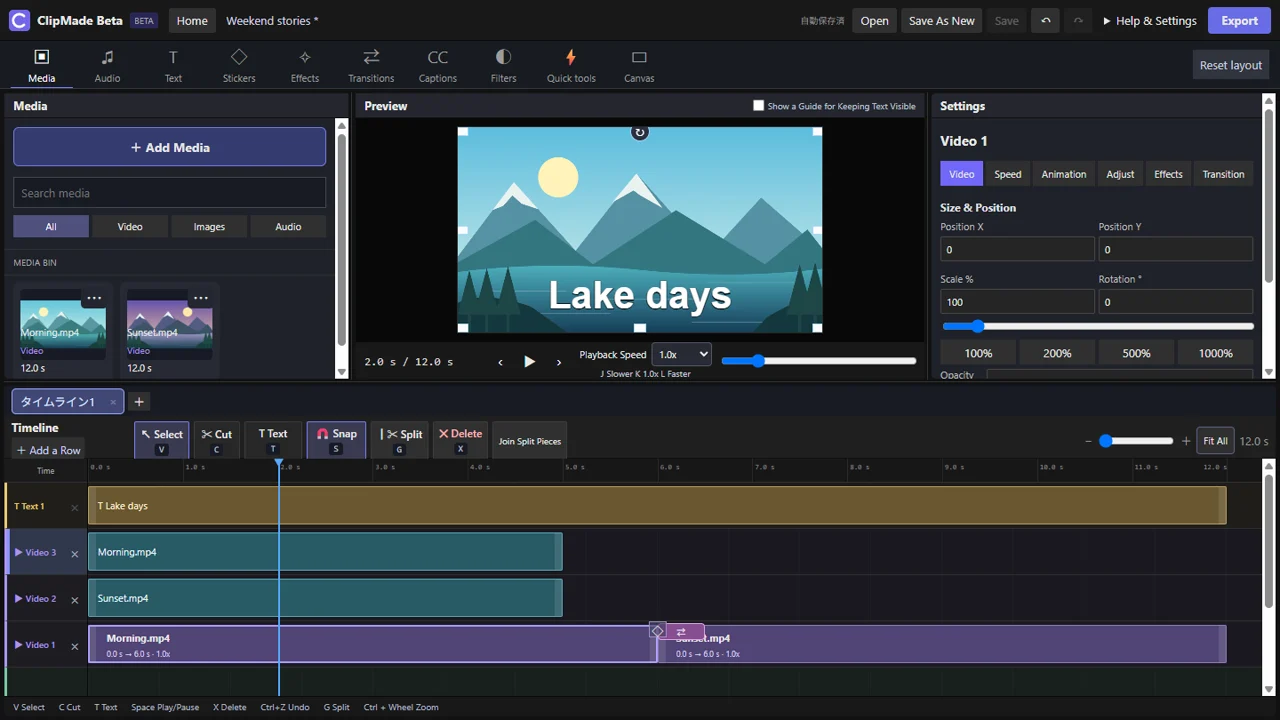
Cut & split
Remove unwanted parts and rearrange clips on the timeline.

ClipMade is a Windows video editor for first-time editors. Import your media, cut it, add text or audio, and export a 1080p MP4 from one clear workspace.
No credit card · No password signup · Free during the current Beta
Checking Beta availability…
ClipMade focuses on the editing steps beginners need first, with labels and controls that are easier to find.
Remove unwanted parts and rearrange clips on the timeline.
Add titles and captions and adjust their appearance.
Layer media using multiple tracks.
Add music and adjust basic audio settings.
Change playback speed and choose visual motion presets.
Save projects, resume work and use autosave recovery.
Keep video, text and audio organized separately.
Work with common layouts for YouTube and social video.
Export your finished edit as a 1080p MP4.
The goal is to reduce the “what do I do next?” moment and keep the basic workflow visible.
Import video, images and audio.
Trim and arrange clips on the timeline.
Adjust only the elements your video needs.
Save the finished video.
Screens captured from the installed beta.11. Open a full screenshot for a closer look.
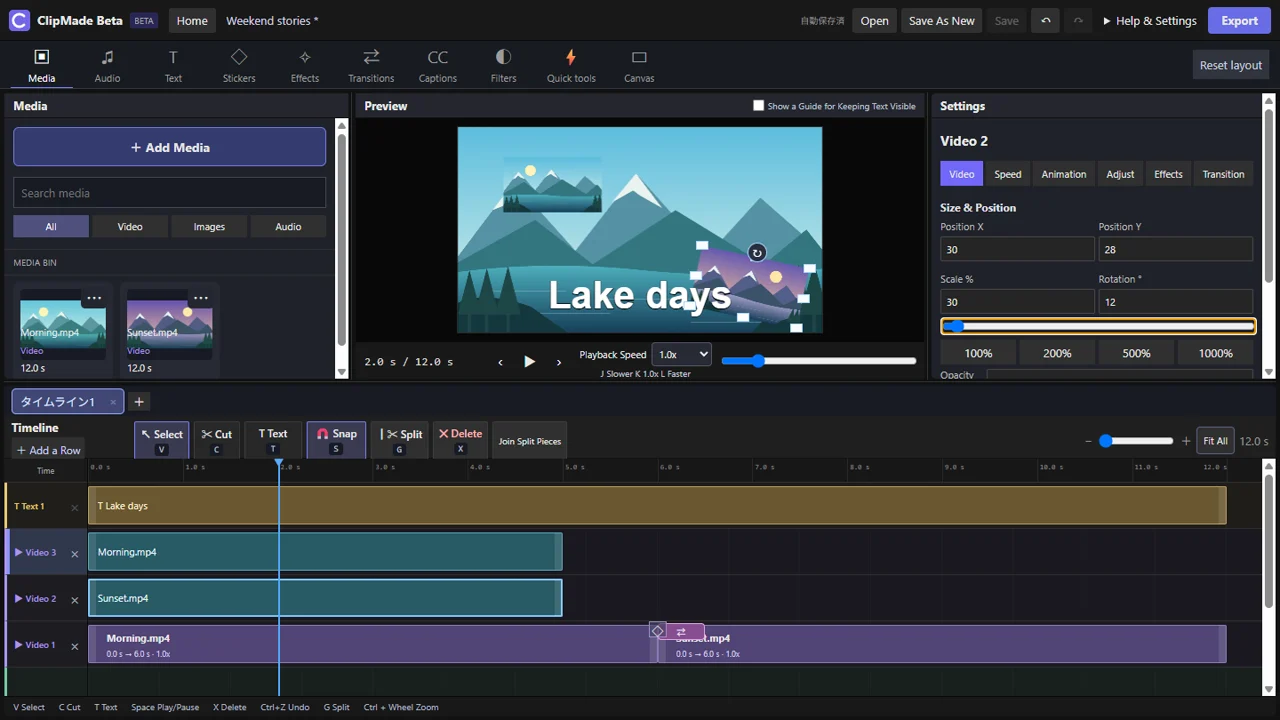
Split, trim and move clips while keeping text and video timing in view.
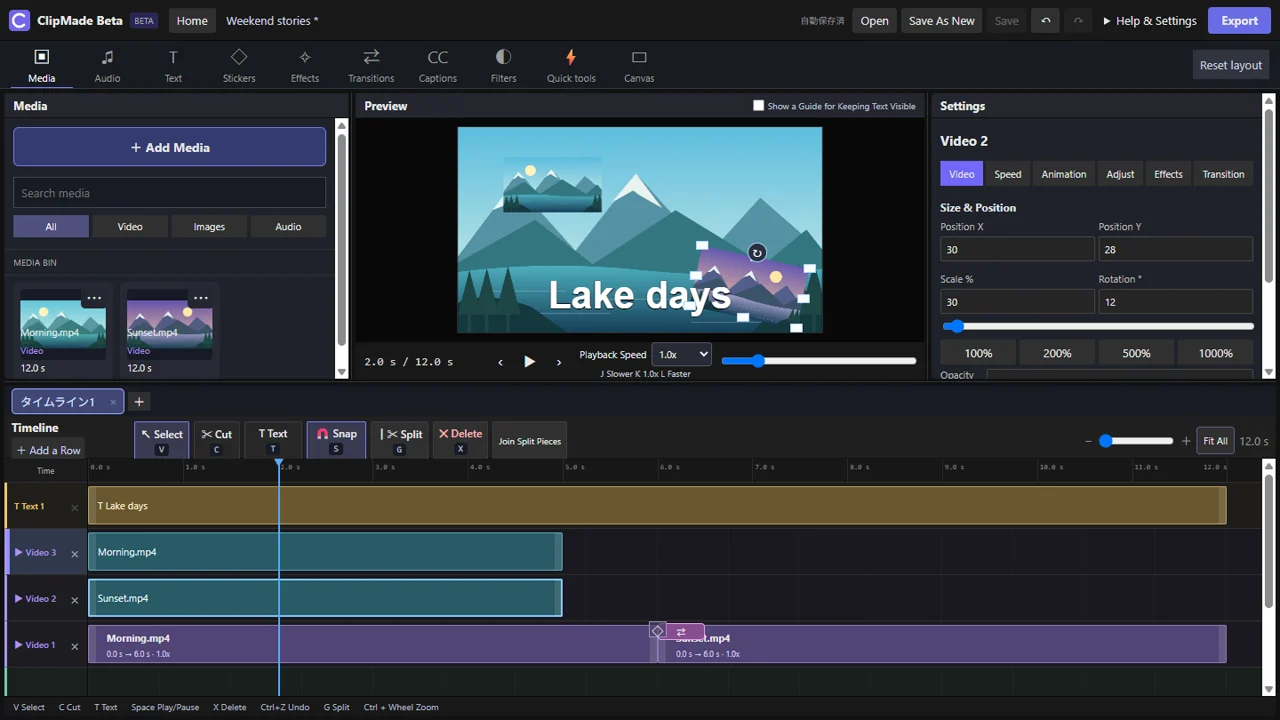
Move, resize and rotate layered videos with the same controls on tracks 1, 2 and 3.
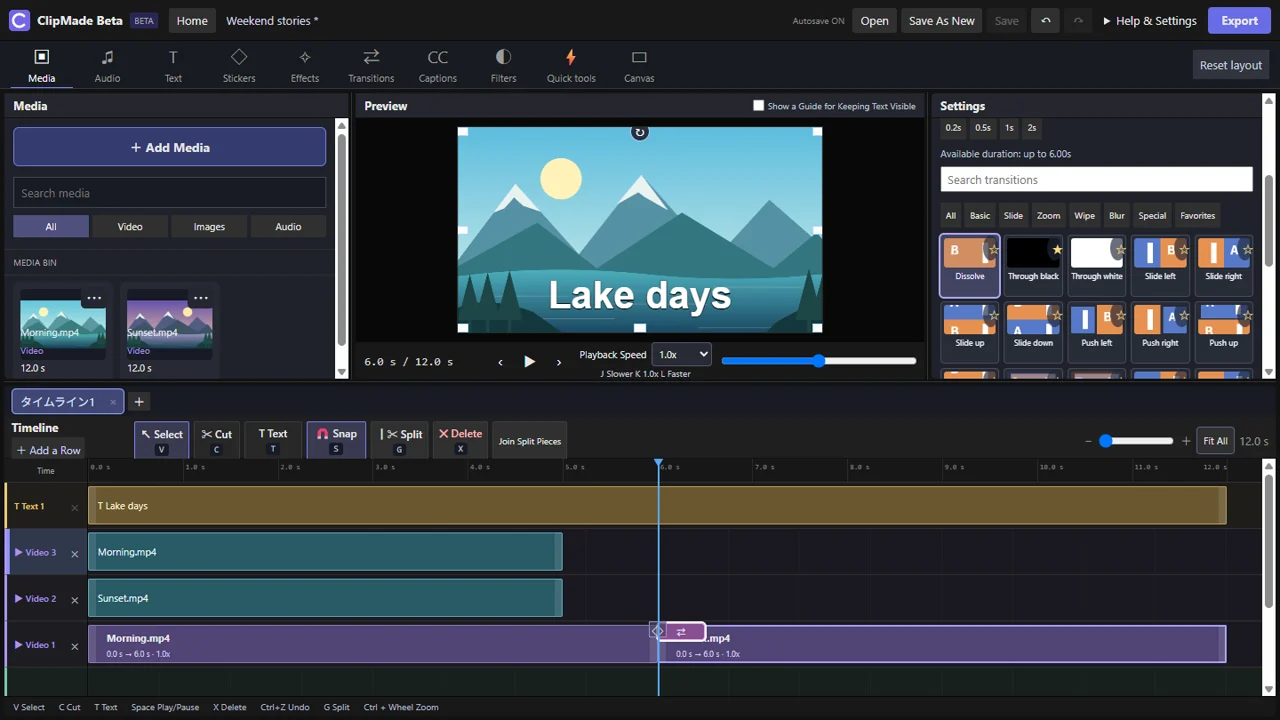
30 transitions. Select an adjacent clip boundary and adjust the duration.
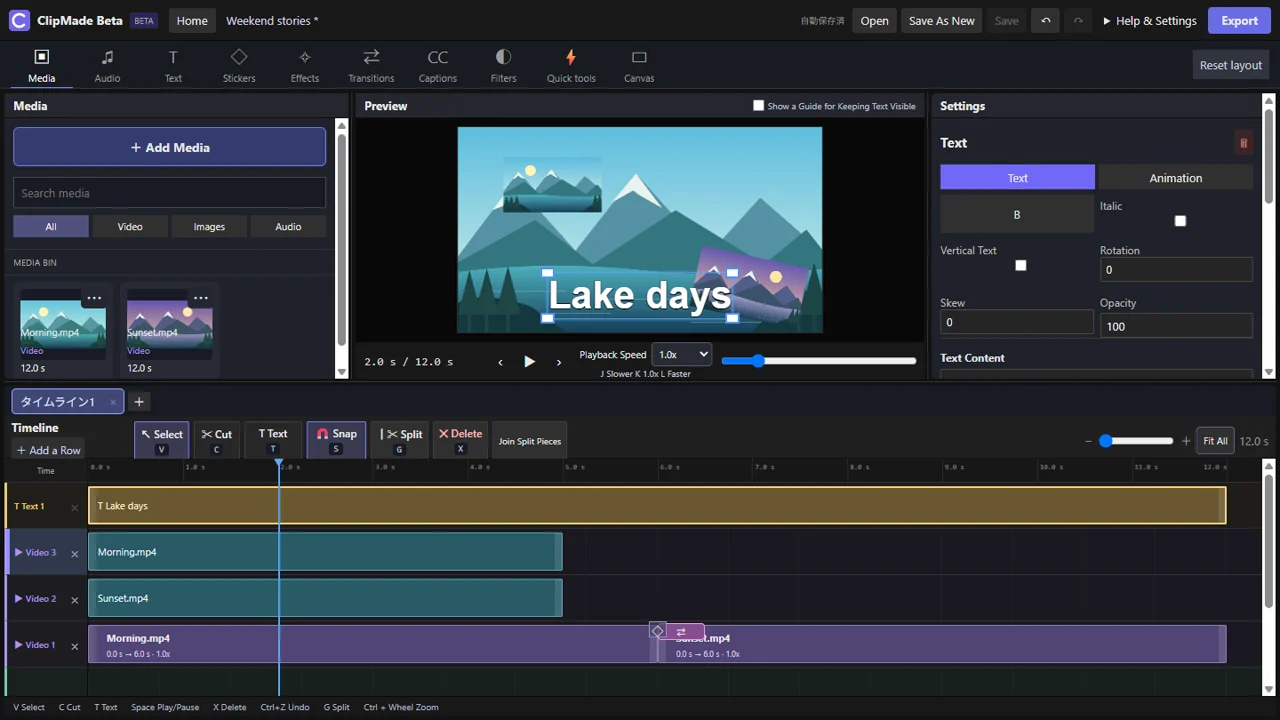
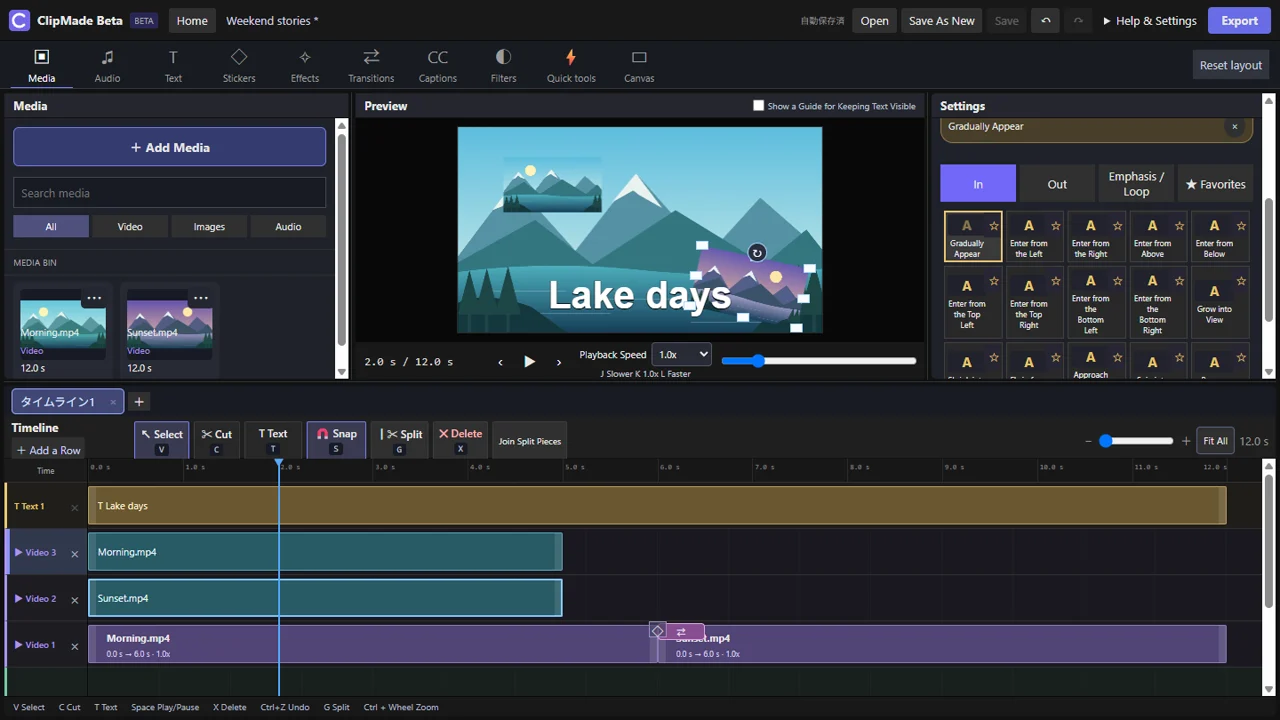
Move text in the preview and apply ready-made motions to text or video.
Use preview handles or numeric controls. Scaling supports up to 1000%.
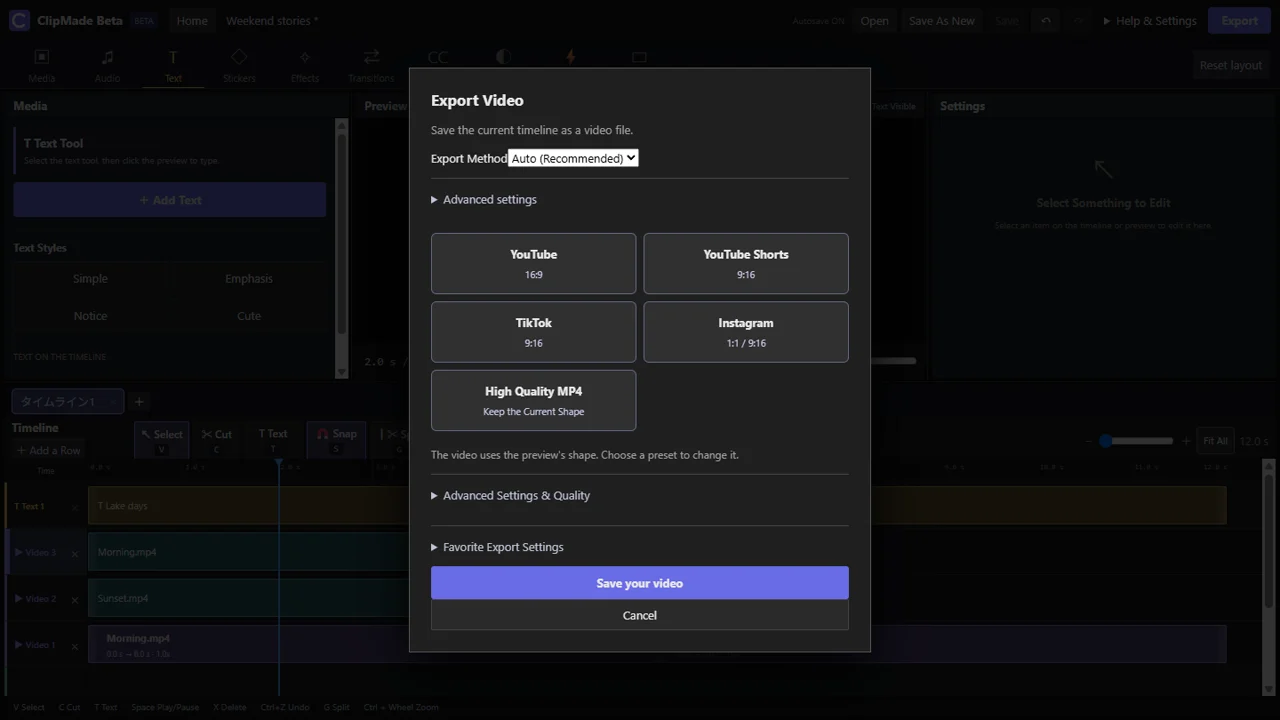
Uses GPU encoding when available, with automatic fallback. Export time depends on the PC and project.
Actual installed beta.11 UI · Demo media
This Beta is not only about free access. Real usage helps decide what should be fixed next.
No payment or credit card is required to apply for the current Beta.
Bugs matter, but so do confusing controls and workflow friction.
Successful Beta activations are eligible for ¥398/month for the first 12 months of a future paid subscription.
If a tester slot is available, a Beta Access Key is shown once on your first successful application. It cannot be shown again, so copy and store it safely before first launch.
Enter your email and accept the Beta terms.
Your Beta Access Key appears on screen immediately after a successful application. Copy and keep it.
Get the Windows installer from the official page.
Enter your key on first launch.
No key entry every time on the same PC.
Tell us what broke or felt confusing.
Users who successfully activate the Beta will be eligible for a special price when paid plans launch.
Starts when you begin a future paid subscription. From month 13: ¥598/month.
Join the free BetaYes. There is no charge for joining the current Beta, and no payment is collected now.
No credit card or login password is required for the current Beta application. You apply with an email address and accept the Beta terms.
The current Beta is for Windows 10 / 11 64-bit. A Mac version is not currently distributed.
It controls access for the first 50 reserved Beta tester places. It is entered on first launch and is intended for one PC per key.
First activation requires internet access. After activation, the current design allows a limited offline period.
It starts when you begin a future paid subscription, not on the date you join the Beta.
No. Bugs may remain. Keep backups of important source media.
Use the feedback form for bugs, usability problems and requests.
Your real-world feedback will shape the next Beta updates.
Join the first 50 testers