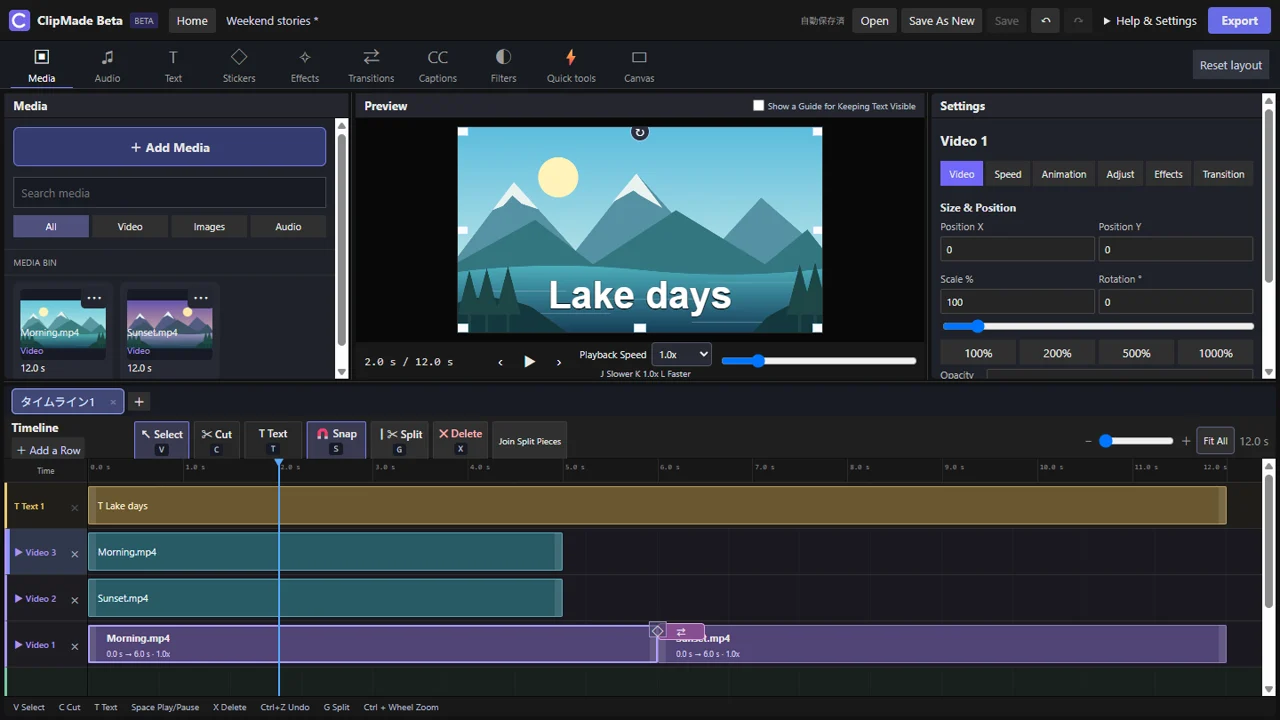
Core editing
| Feature | What it does |
|---|---|
| Cut & split | Remove unwanted sections and rearrange clips |
| Trim & move | Adjust clip start/end points and timeline position |
| Multiple tracks | Keep video, images, text and audio organized separately |
| Snapping | Align clips and the playhead more easily |
| Speed | Change playback speed |
Text and visual editing
Add titles and on-screen text, adjust their appearance and position, layer images or video, use motion presets, make basic color adjustments and work with mosaic or mask editing.
Audio and BGM
Add background music or sound effects and adjust volume while keeping audio on its own track.
Save and recovery
Save editable projects and continue them later. Autosave and recovery are included to make longer editing sessions easier to resume.
Aspect ratios and export
Work with common layouts for YouTube and social video, then export the finished edit as a 1080p MP4.
Common keyboard shortcuts
| Key | Action |
|---|---|
| V | Select |
| C | Cut |
| T | Text |
| S | Snap |
| Space | Play / pause |
Beta status
ClipMade is still in Beta, so screens and feature names may change as the product is updated.
Try the current Beta
The Windows Beta is free and open to a limited number of testers.
View the Free Beta →Read the Beta FAQ →