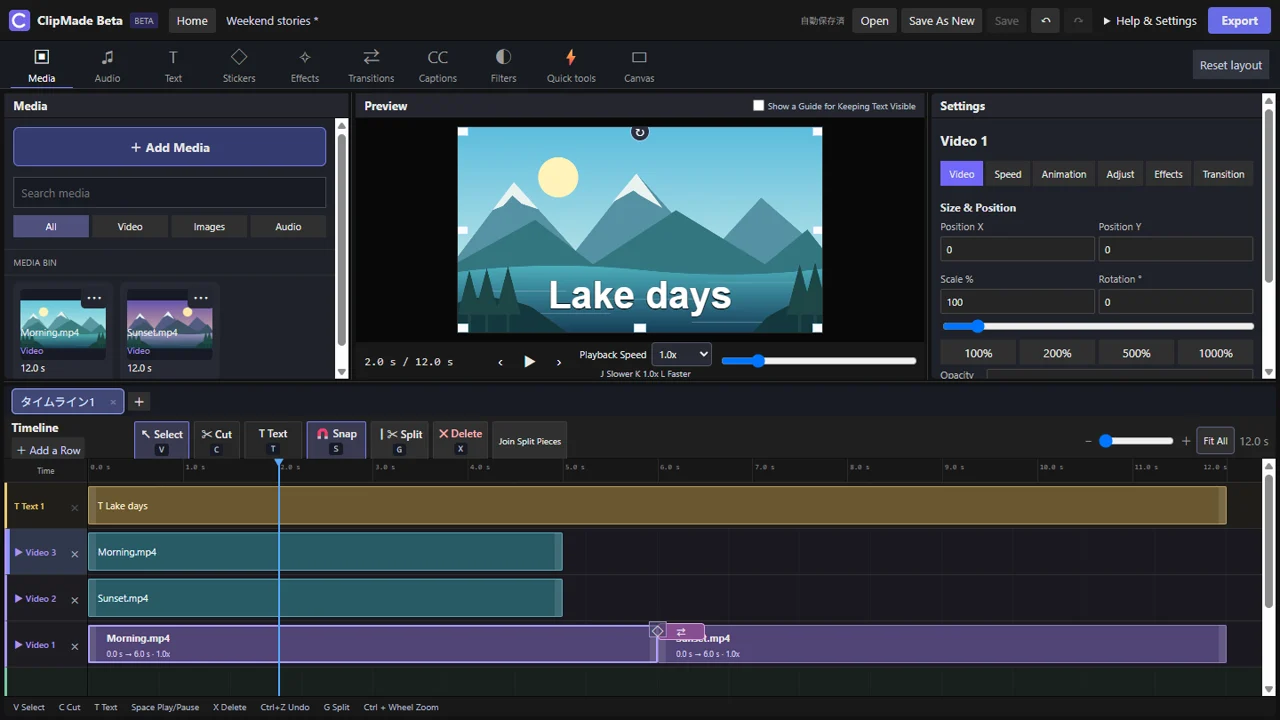
Cut and split clips, add text and audio, work with multiple tracks, save your project, and export a 1080p MP4.
What can ClipMade do?
| Area | What you can do |
|---|---|
| Cut & split | Remove unwanted sections and rearrange clips |
| Text | Add titles and on-screen text |
| Audio | Add BGM and sound effects and adjust volume |
| Multiple tracks | Keep video, text and audio organized separately |
| Save & recover | Resume projects and use autosave recovery |
| Export | Save the finished edit as a 1080p MP4 |
See the ClipMade features page for a fuller breakdown.
Basic ClipMade workflow
Import video, images and audio.
Trim, split and arrange clips on the timeline.
Use only the elements your video needs.
Check the finished edit and export a 1080p MP4.
The current ClipMade Beta is free and does not require a credit card to apply.
Join the free Beta →Who is ClipMade for?
ClipMade is aimed at people editing their first videos, creators who mainly need core YouTube or social-video tools, and users who prefer a smaller learning curve over a very large set of professional controls.
About the free Beta
The current Beta is free for the available tester slots. It is still development software, so bugs and interface changes may occur. Access-key rules, supported Windows versions and the future tester benefit are explained in the ClipMade Beta FAQ.
Development approach
Why ClipMade is being built, what the Beta is intended to test and how feedback is used are explained on the About ClipMade page. Product changes are listed in the changelog.
Try ClipMade Beta
Test the complete core workflow on Windows with your own media.
Join the free Beta →Read the Beta FAQ →