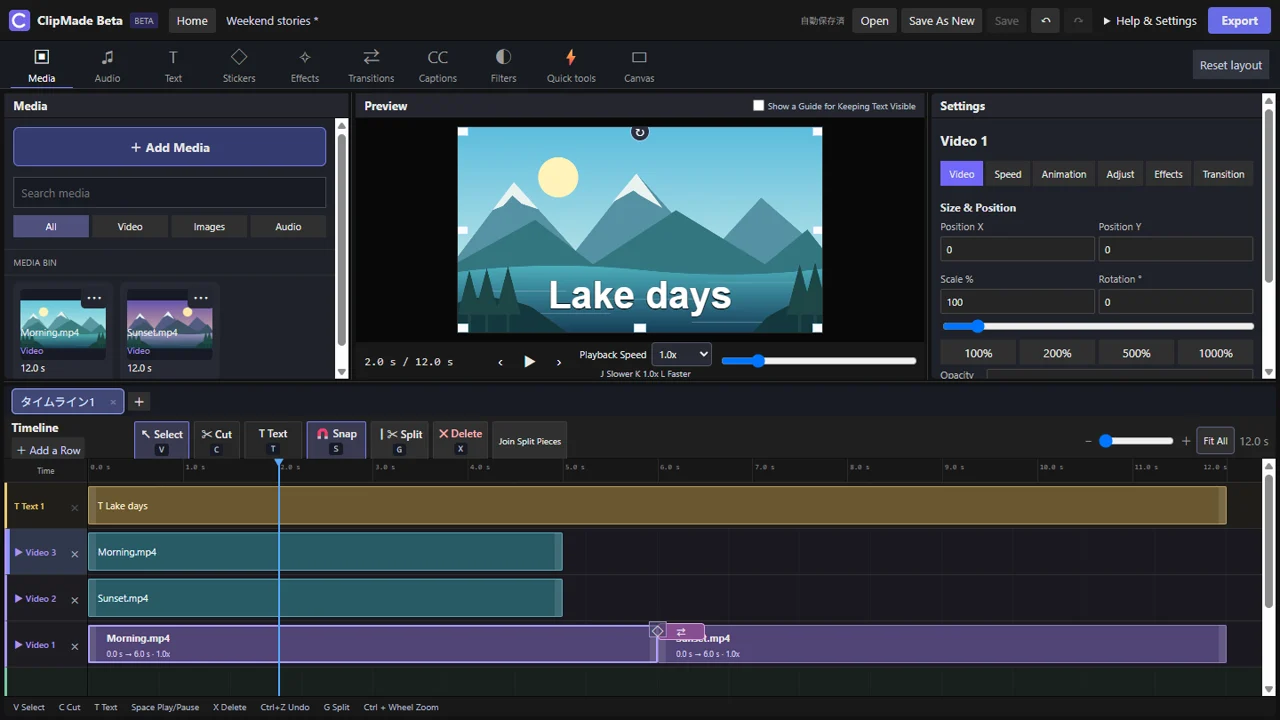
The core flow is import, cut, add text or audio, save and export.
Why ClipMade exists
Video editors can offer hundreds of tools, but beginners do not need to master everything before finishing a first project. ClipMade prioritizes the editing actions that are used most often and aims to make the next step easier to understand.
The current Beta
| Area | Current Beta |
|---|---|
| Operating system | Windows 10 / 11 64-bit |
| Distribution | Free Beta with a limited tester pool |
| Core editing | Cutting, text, image/video layers, audio, speed and multiple tracks |
| Project work | Save, autosave and recovery |
| Export | 1080p MP4 |
| Languages | Japanese / English |
Why the Beta is limited
The goal is to collect useful feedback from real editing sessions rather than distribute an unlimited build. Applications are reviewed and eligible testers receive an access key. The current policy is one key per PC.
What feedback matters
Crashes and obvious bugs matter, but so do unclear buttons, confusing workflow steps and actions that take too long to find. The Beta is designed to surface those problems before a paid release.
What the Beta does not require
The current Beta does not collect payment and does not use a traditional email-and-password login flow. Access is handled through the Beta application and access-key process.
Try ClipMade Beta
The Windows Beta is currently free and open to a limited number of testers.
View the Free Beta →See current features →